
Mercedes-Benz Augmented Reality Professional Photography Application
The Virtual Reality and Augmented Reality Automotive Dealership Photography Application is being developed to increase dealership and photographer efficiency. Creating consistent high quality vehicle images using trending technologies like Augmented Reality, Virtual Reality and advance product 3D photo realistic modeling to entice customers to purchase in a shorter turn-around time!
Application Main Features
Augmented Reality, OCR and Image Recognition
The application will use a combination of Augmented Reality (AR), Optical character recognition (OCR) and 3D Model Guidelines to capture images.
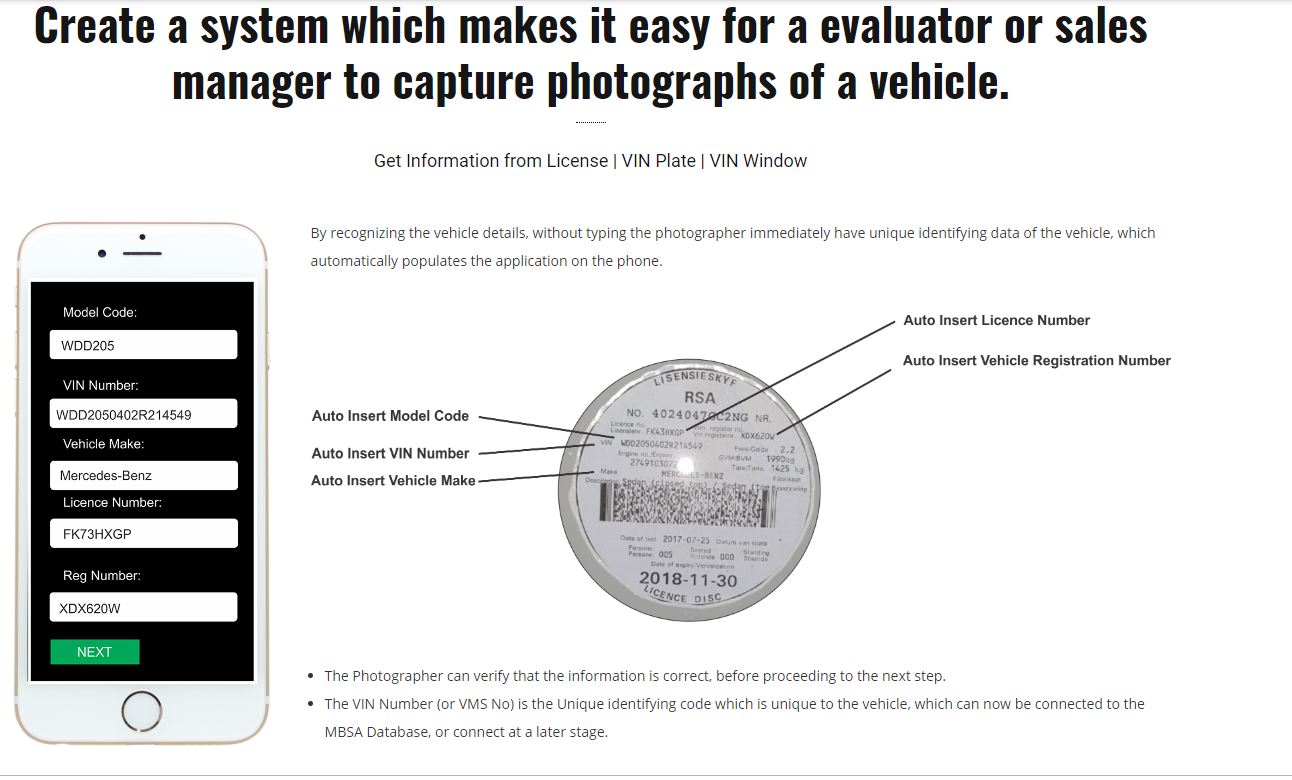
The License Disk Scanner captures all the necessary details in order to identify which vehicle we are dealing with. This is the first step when creating a new vehicle capture. The process is simple the Photographer simply starts the app and click on NEW VEHICLE. The Scanner will start automatically and the Photographer walks up to the car and scan the disk. Once the disc is scanned the application parse the information into editable fields. (No need for the Photographer to manually capture the details).
WATCH THE VIDEO BELOW FOR THE BASIC WORKFLOW OF CREATING 360° IMAGES AND MANDATORY EXTERIOR AND INTERIOR PHOTOGRAPHS.
The application gets the following details from the license disk.

360° External Image Capturing - Product View
The application will guide the Photographer on how to take the best possible 360° Product view images. The application features a step by step guide on how to take the external 360° photographs with the assistance of Augmented Reality, OCR, 3D Modeling and object recognition. The application also make use of the smartphone sensors like Gyro and accelerator meter to assist the photographer to take high quality photographs.
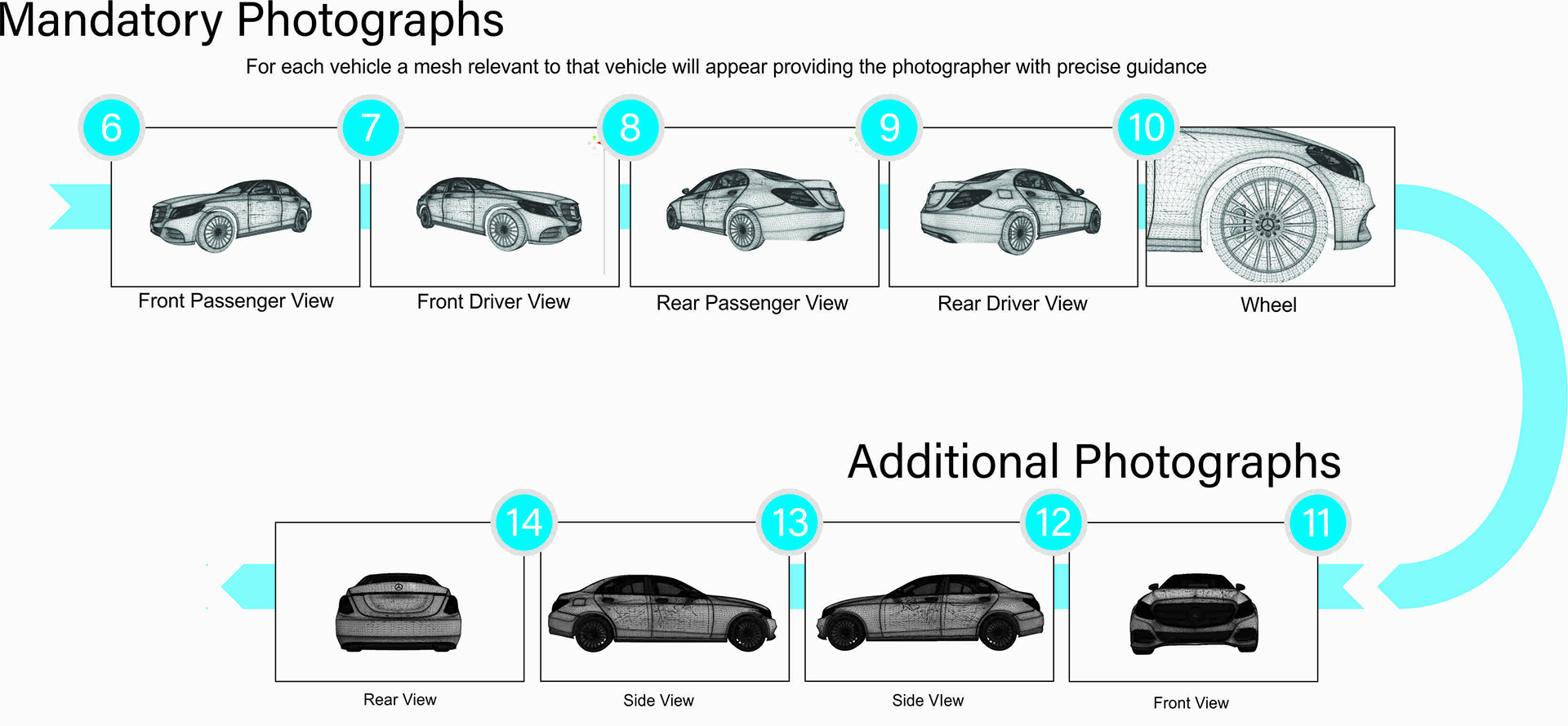
The Above 360° Product Viewer is for BETA TEST purposes only and by no means the final product. We recommend that you have a look at the Mercedes-Benz Graphical Display of Images to see which images our application will take as standard. Also have a look at the Application Screenshot and Application Flow pages to see how the application will work and the application template. (This is a custom application development and we can add or remove mandatory photographs as per Mercedes-Benz South Africa final specifications) and develop the viewer as per MBSA specifications.
For Examples of Our first TEST SHOOTS with the BETA APPLICATION go to PRE-OWNED VEHICLES,
360° Interior Image Capturing
The application will use a combination of Augmented Reality (AR), Optical character recognition (OCR) and 3D Model Guidelines to capture images.
Please note that we only had a very short period to prepare this presentation and the product! Our 360° Product View player is still being developed and the above is just for demonstration purposes.
Automatic and Manual Hotspot Creation
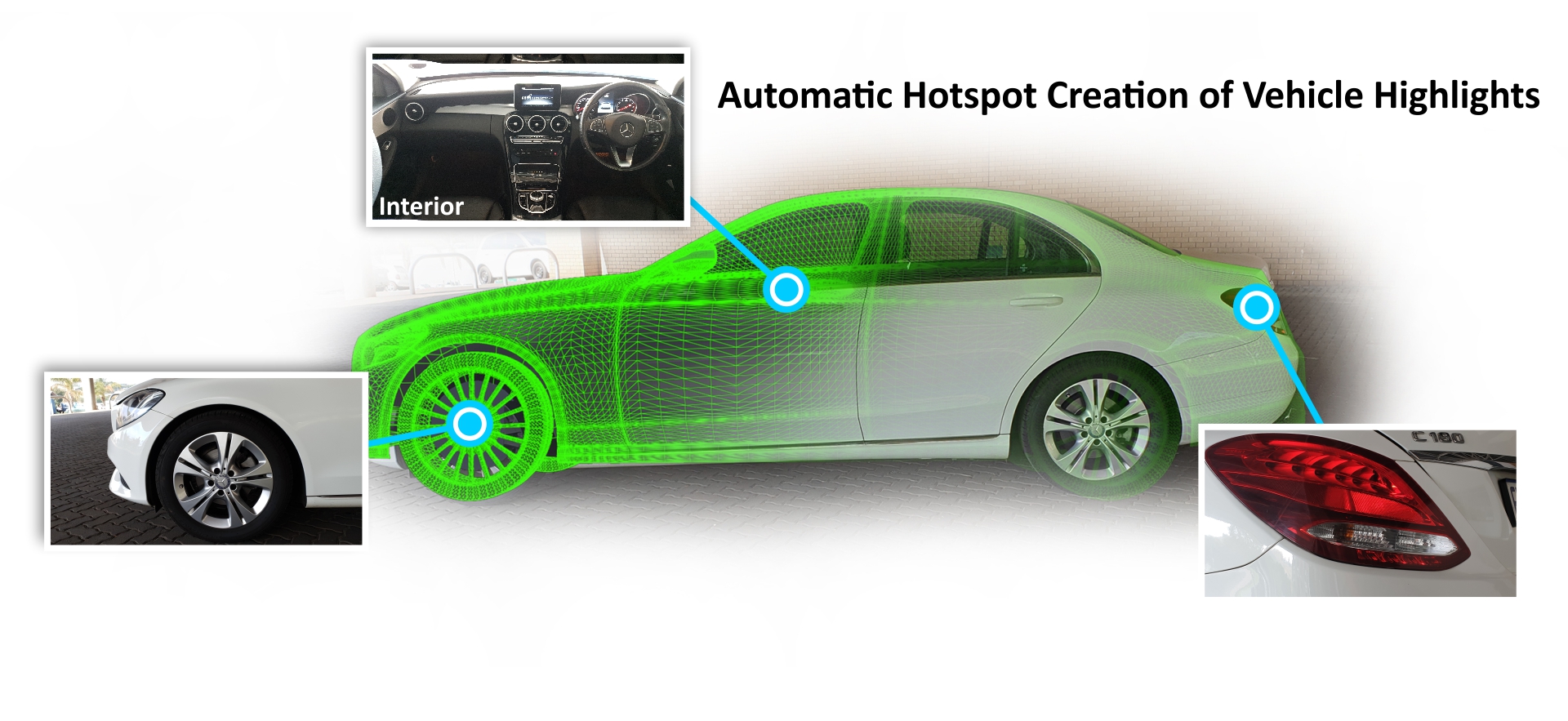
Using Augmented Reality and 3D Modeling we can capture the interior images with coordinates for Mandatory hotspots. These hotspots can be automatically assigned to the vehicle 360° exterior and 360° interior without the need of the Photographer to manually assign the relevant highlights to the photographs. This can significantly improve accuracy and the time it takes for the Photographer to capture the asset!
Virtual Reality
The “Mercedes-Benz Vehicle Assets Player” is compatible with virtual reality devices allowing customers to view the cars in Virtual Reality.
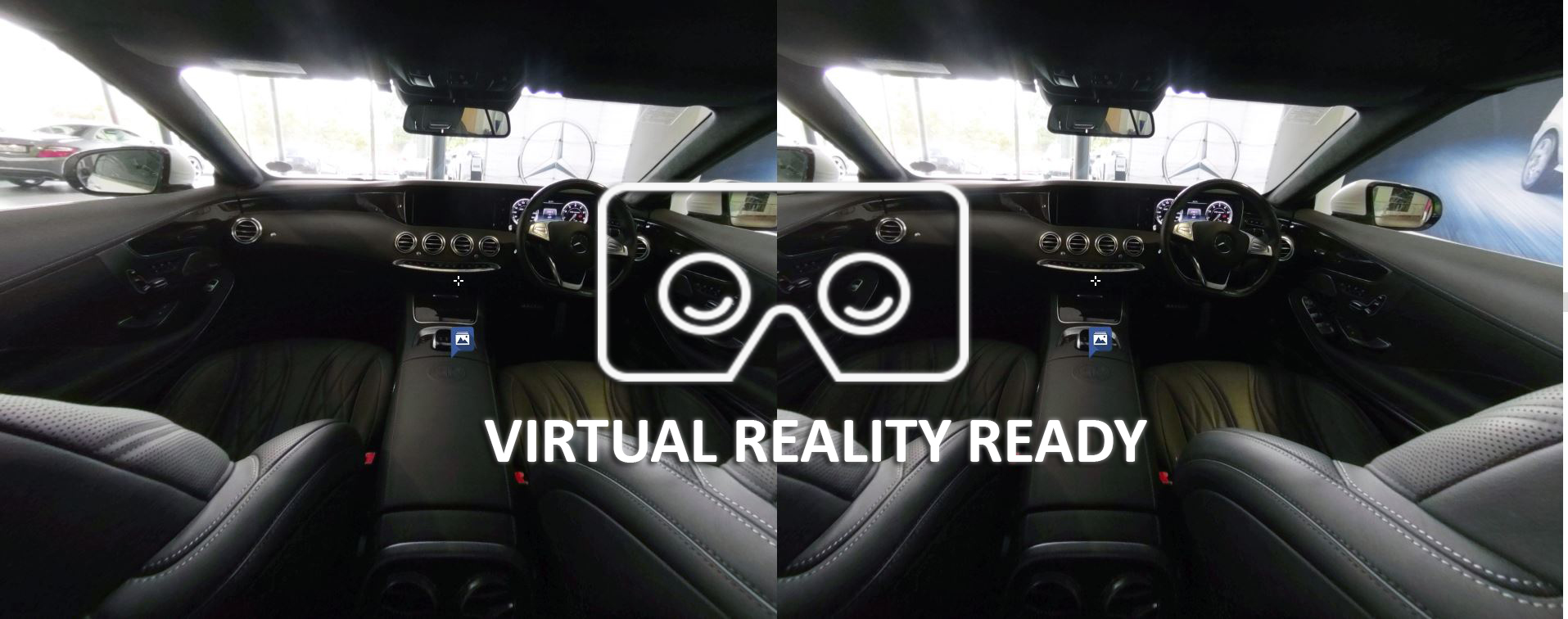
We have added an option for people to view the vehicle in virtual reality. This allows customers to view the vehicle almost as if they are at the dealership!
External Images
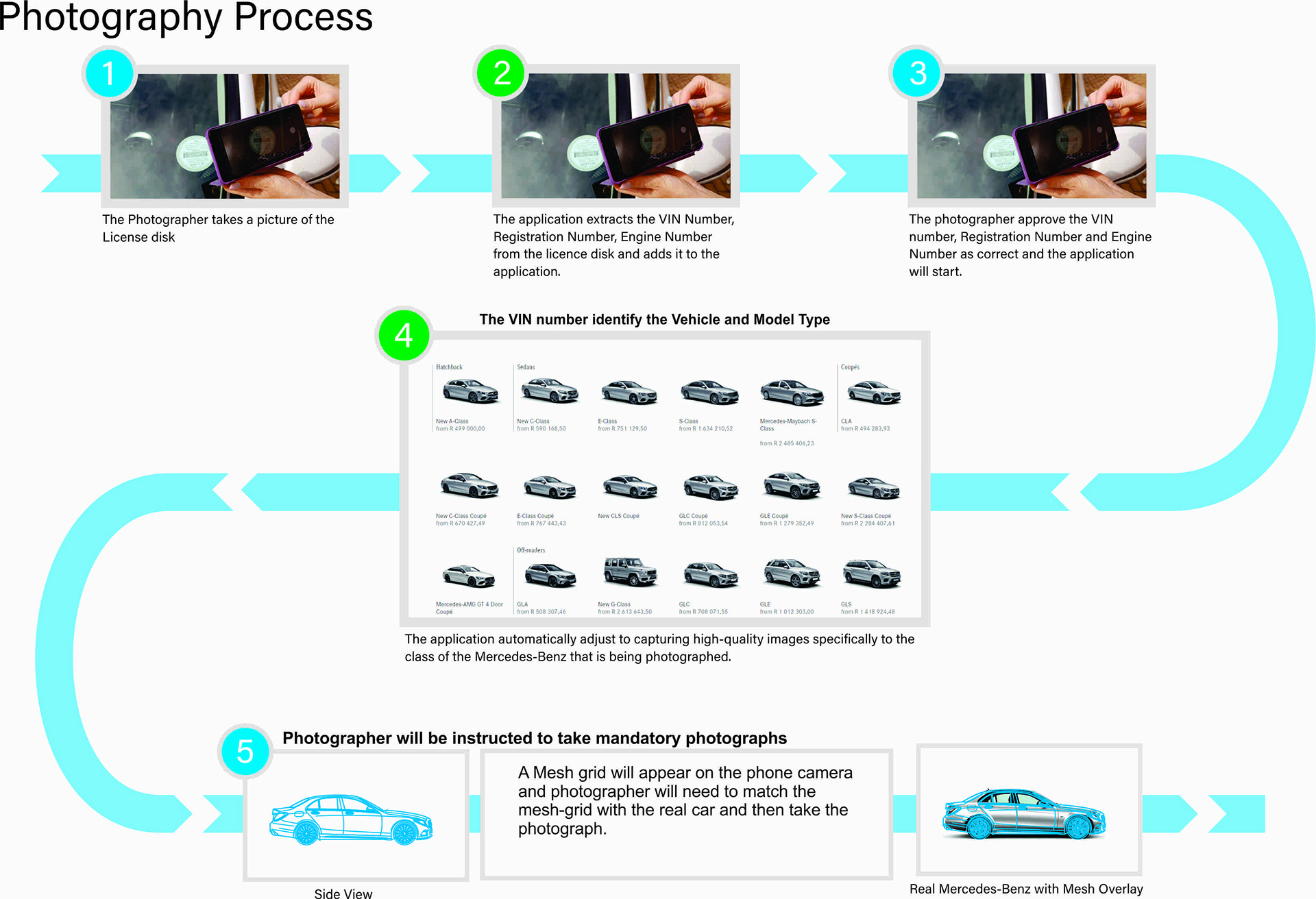
The application will guide the photographer to the photographs to take. Based on Mercedes-Benz official photo guidelines and assisted by Augmented Reality or 3D Model overlays ensuring high quality photographs. In the background we will monitor the efficiency of the application based on the time that the photographer take to shoot the individual images. This information will be used to research more effective ways to shoot external photographs more efficiently.
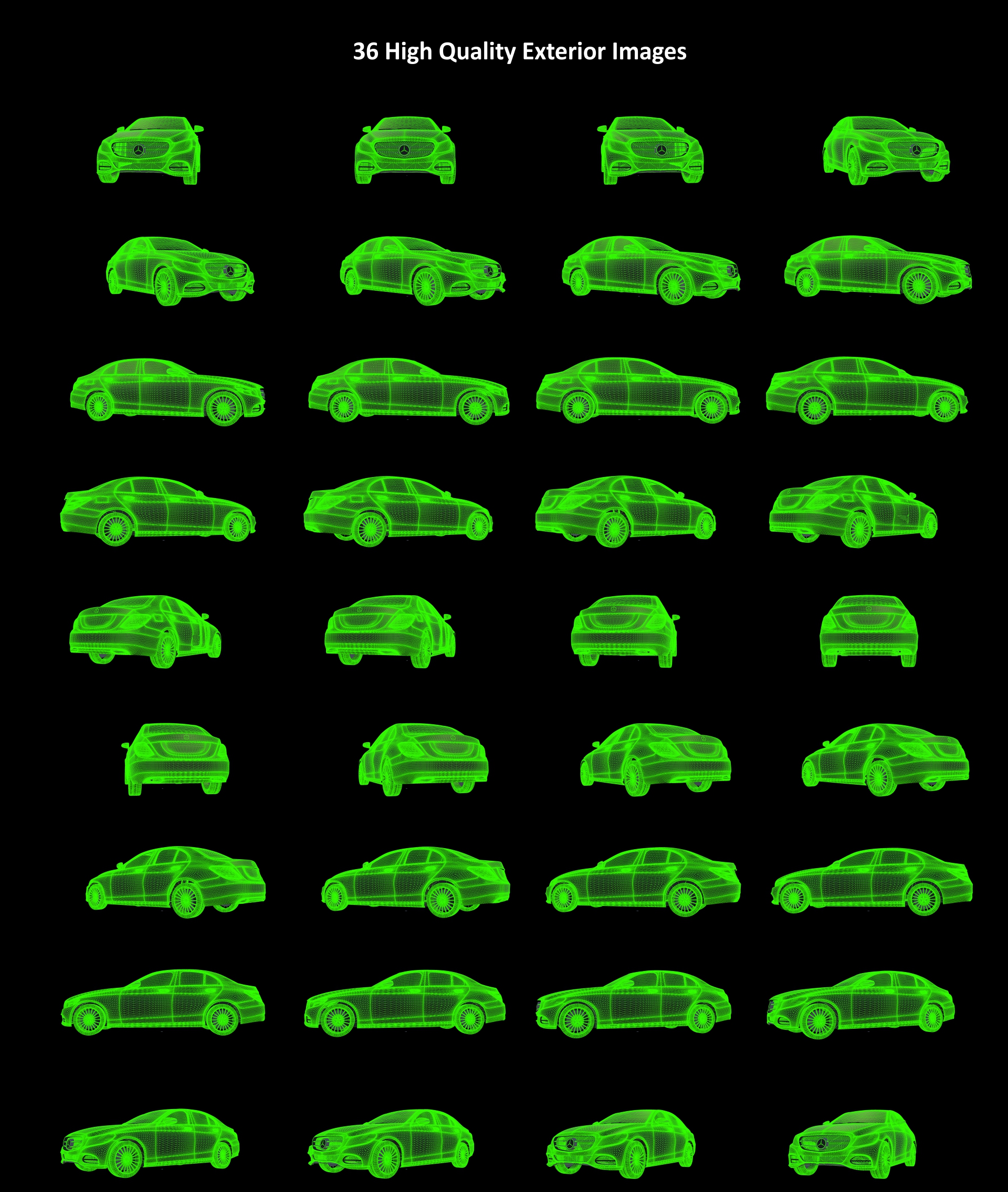

Above is just a few examples of the Augmented Reality Grid system. We will develop this for all Mandatory Internal images as well as optional images. The grid with Augmented Reality forces the photographers to take consistent high-quality images. Standardizing the Photography across all Mercedes-Benz Dealerships.

Video Recording
The application will have the capability to record normal video as well as 360° video.
Social Sharing
The capability to share individual inventory to social media platforms based on user privileges. The ability to post to social media can be completely disabled or assigned specific permission based on Administrator only, Photographer, Advertising Account Manager, Advertising Agency or per individual sales executive.
Analytics and Reporting
The application includes comprehensive analytics and usage reports. Access reporting insights into asset creation and customer interactions. Based on Daimler CI, security guidelines, and government regulations and POPI/GDRP where applicable.
Artificial Intelligence
The more the application is being used the smarter the application will grow. In the beginning the application might need some manual intervention with recognizing assets via Augmented Reality, OCR and Image Recognition. These manual interventions will become less and less as the application grows smarter. Also see Analytics and Reports on how we will use AI to identify potential problems, bottle-necks and shortcomings of the application.
Application Support and Training
The Application is being developed to make it as easy as possible for a person with no photography background to take professional images of Mercedes-Benz vehicles. The purpose of the application would be to make it so easy to use that manual training is not needed. That being said we will develop comprehensive online training material to teach the photographer how to use the application. We also offer Telephonic, Email and Live Video conferencing support as well as Onsite support where needed.
All onsite maintenance and onsite support services rendered will be quoted on separately before rendered.
Customer Support will be logged into a Frequently Asked Question section to make it easy to troubleshoot similar requests in the future and will be offered as a self-helped service to users. Also see Analytics and Reporting and Artificial Intelligence on how the application will analyze common problems and inefficiency.
Custom Roles and Security
The Application will have Custom Roles and Security and permissions assigned to different roles. These can include Administration Privileges, Photographer Privileges, Sales Executive Privileges and Public Privileges.
Asset Formats
The assets created with the application will be made available in the highest possible resolution and in various formats to maintain the highest possible quality and compatibility.
Recommended Smartphone
It is crucial to use a high-end Smartphone with the application. The Smartphone being used will determine the quality of the photographs and video created. We highly recommend the Samsung S10 smartphone as the entry level phone for this application.

We highly recommend that dealers invest in the Samsung Galaxy S10 for ultimate quality photographs and high quality 4K Video.
*Five cameras available only on Galaxy S10+. 8MP RGB Depth Camera only available on Galaxy S10+.
More about the Samsung S10
Recommended 360° Camera
The Insta360 One X 360° Camera is one of the highest rated affordable commercial 360° video cameras. We highly recommend this as the preferred 360° camera.
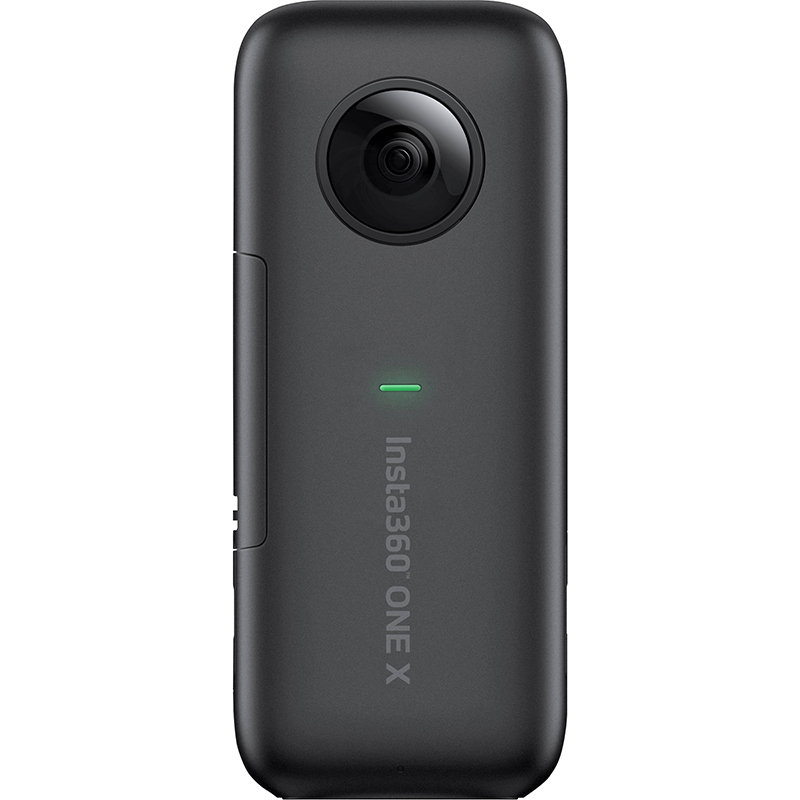
- Aperture: F2.0
- Photo resolution: 18 MP (6080*3040)
- Video resolution: 5760*2880@30fps, 3840*1920@50fps, 3840*1920@30fps, 3008*1504@100fps
- Photo format: insp, jpeg(can be exported via App), RAW(dng) (RAW files require software on PC/Mac to stitch.)
- Video format: insv, mp4(can be exported via App), LOG (Log files require software on PC/Mac to stitch.)
- Video coding: H264
- Video Bitrate: Up to 120Mbps
- Stabilization: Built-in 6-axis gyroscopic stabilization Compatible devices: iPhone XS, iPhone XS Max, iPhone XR, iPhone X, iPhone 8/8 Plus, iPhone 7/7 Plus, iPhone 6s/6s Plus, iPhone SE iPad Pro, iPad (2018) UPC842126100475.
- Samsung: S9/Note 8/S8/S7/S7 Edge,
- HUAWEI: P20 Pro/P10/P9/Mate 9/Mate 10/Honor 9
More Information on the INSTA360 ONE X 360° Camera.
Optional Equipment
The Recommended Smartphone, Recommended Accessories and 360° Video camera is the only mandatory equipment needed for the application. There is however some alternative optional equipment available which can enhance the quality of photographs and video significantly or recommended because it could speed up the process for the Dealership to capture the assets digitally.